
The trial, the subscription and the file quota
You try Fiplan before you buy it. When you sign up, you choose your plan and save your card; the trial starts, the first charge is taken on day 8, and until then you can cancel without paying anything.
What it is for
Signing up asks for the plan, the billing frequency, the registered name, the country of establishment and the VAT number of the firm (outside the EU, the VAT or company number). You then save your card on Stripe's secure page: Fiplan never sees it. The trial starts straight away: 7 days, 3 active files, 1 user, 1 client access. Documents are shown on screen with “Trial version”; downloading them (PDF, Excel) opens with the subscription. Exporting the firm's data is always allowed.
A private individual residing in Belgium can subscribe too: when signing up, they choose “I am a private individual residing in Belgium”, give their first name, last name and address in Belgium (no VAT number) and declare that they are of age. Their prices are shown including VAT (21%), on the Pricing page and in the Subscription tab; before the card, a summary ends with Order with obligation to pay, and the terms are sent to them by e-mail. One trial per person.
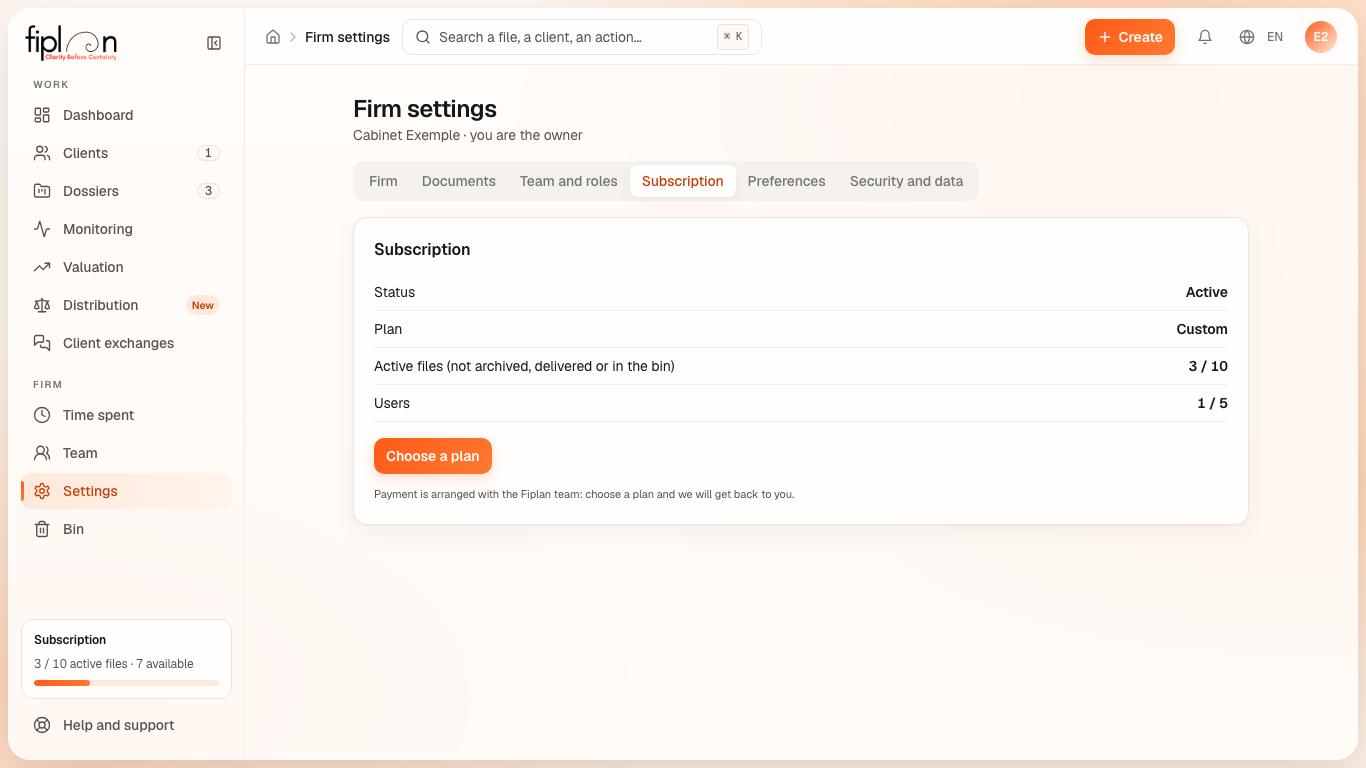
The first charge is taken on day 8, unless you cancel: a banner shows the days left, the date and the amount. The Subscription tab of the settings (owner) shows the status, the next charge and its amount; Subscribe now charges straight away and opens full access; Manage my subscription opens Stripe's page to cancel, resume or change plan; Update my card replaces the card.
Steps
- Open Firm settings, Subscription tab.
- Read the next charge: its date and its amount (incl. VAT; excl. VAT under reverse charge for a firm established in another EU country; no Belgian VAT for a firm established outside the EU).
- To subscribe without waiting for the end of the trial: Subscribe now. To cancel or change plan: Manage my subscription.
Worked example · Boulangerie Dupont SRL
During the trial, the firm can hold 3 active files: the Boulangerie Dupont file is one of them. Once the financial plan is delivered, the file moves to the “Completed” status and no longer counts towards the quota.
Pitfalls
What it changes
Source
Fiplan convention (offres.ts, abonnement.ts, acces-cabinet.ts): the trial conditions, the count of active files, access according to the subscription status. Prices are not repeated in this guide: the price list on the Pricing page is authoritative. Fiplan general terms, part C (private individuals residing in Belgium): the 14-day right of withdrawal and the refund of any amount paid.