
Exporting the firm's data
Your data belongs to you. The firm's owner can take it away at any time, in formats that any spreadsheet or program can read.
What it is for
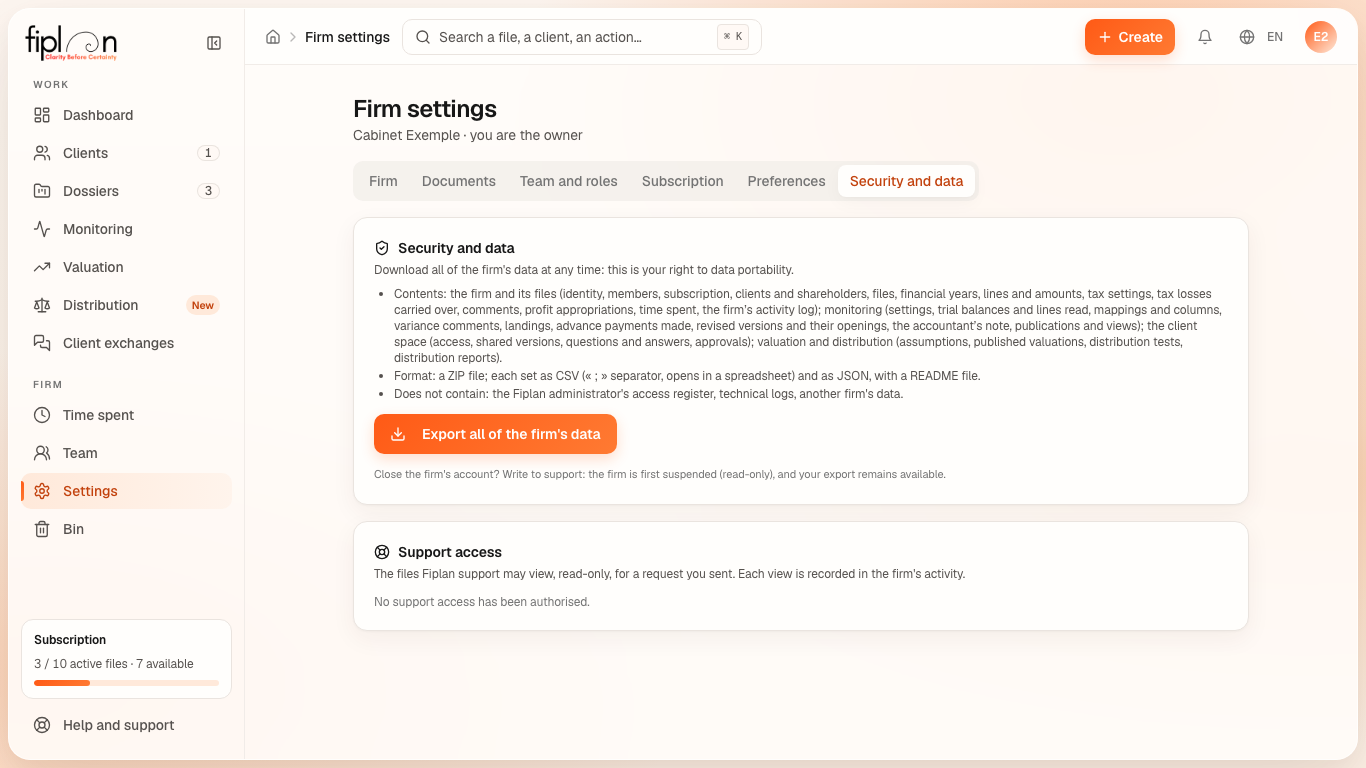
In Firm settings, the Security and data tab — visible to the owner only — carries the Export all of the firm's data button. The ZIP file contains each data set twice, as CSV (UTF-8, ; separator, decimal comma) and as JSON, plus a LISEZMOI.txt (README) file that describes each set, its columns and its number of records:
- the firm and its files: the firm, the members, the subscription, the clients, the shareholders, the files, the financial years, the lines, the amounts, the tax settings, the tax losses, the comments, the profit appropriations, the time spent and the firm's log;
- monitoring: the settings, the trial balances with all their versions, the lines read, the mappings and columns kept, the comments on variances, the landings, the advance tax payments actually paid, the revised versions and their interim openings, the accountant's note, the publications to the client and their views;
- the client space: the access of invited people (revoked ones included), the shared versions, the questions and answers of the exchanges, the plan approvals;
- valuation and distribution: the assumptions and the published valuations (withdrawn ones included), the distribution tests and the distribution reports drawn up.
The export is recorded in the firm's activity log. A read-only firm (trial ended) can still export.
Steps
- Open Firm settings, Security and data tab.
- Click Export all of the firm's data.
- The file downloads; the “Export downloaded” message gives the number of files in the ZIP.
Worked example · Boulangerie Dupont SRL
In this example, the firm that looks after the bakery is called “Cabinet Exemple”: its export is named fiplan-export-cabinet-exemple-2026-10-02.zip. The lines file contains, among others, the bakery's sales line (€18,000.00 per month), and the amounts file contains each month of each line.
Pitfalls
What it changes
Source
Fiplan convention (export-cabinet.ts, the database's export function exporter_donnees_cabinet and its audit audit-export.mjs): the content of the ZIP, the CSV format, what is left out and why, the owner-only right, the record in the firm's log.