
Help and support
A question about the application: the Help and support page. A question about a calculation: this guide. A defect: a ticket, which the Fiplan team follows until it is resolved.
What it is for
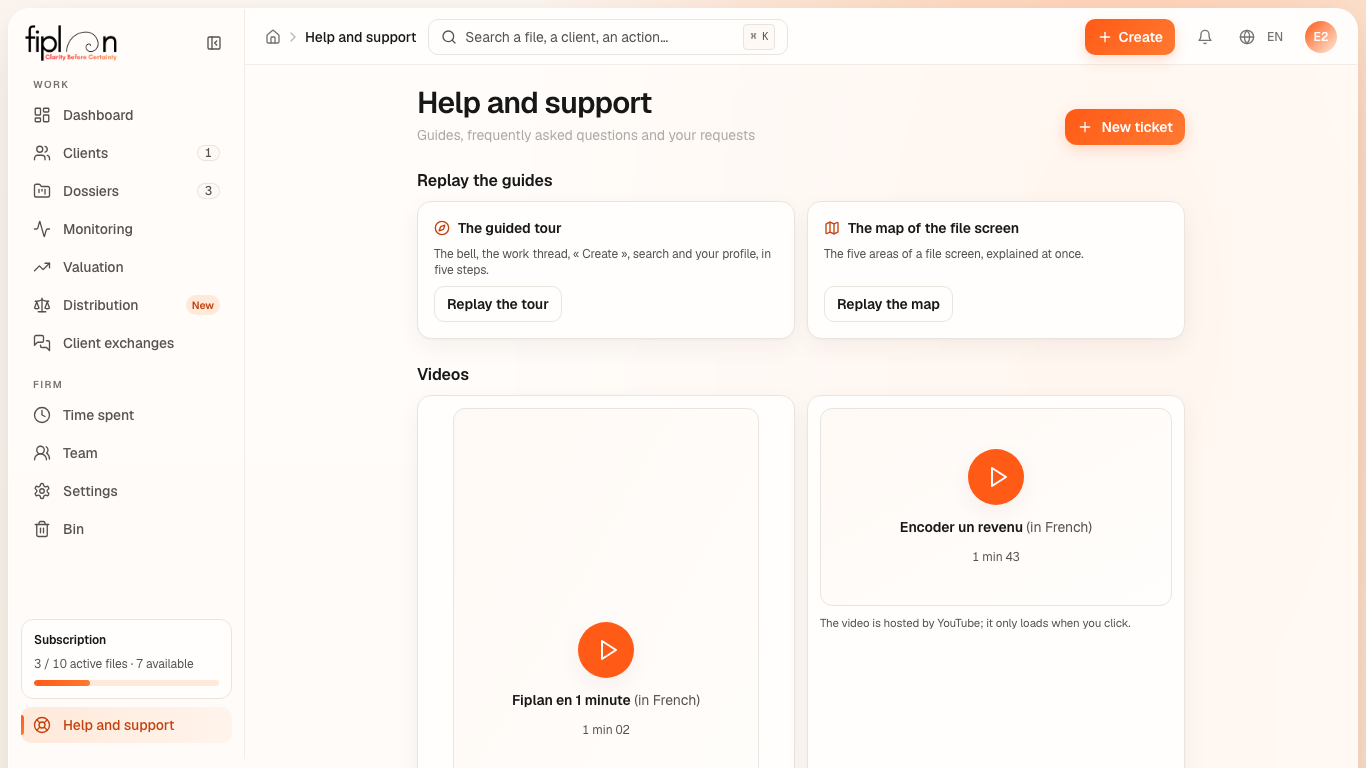
Help and support, at the bottom of the sidebar, opens a page in three parts:
- Guides: entering a file, reading the checks, delivering a report — each in a few steps;
- Frequently asked questions: how long the bin keeps a file, assets that do not equal liabilities, adding a member, the tax rates;
- My requests: your tickets, with their status — New, In progress, Answered or Closed — and the Support response, which also reaches you by email (reply to that email to continue the conversation).
When a Fiplan video is published, a Watch the video button appears on the screen it shows and a Videos block on this page; hosted by YouTube, it only loads when you click.
This guide is public: it can be read without an account, at /guide.
Steps
- Open Help and support.
- Click New ticket.
- Choose the Category — Limit increase, Bug report, Feature request, Billing or Other —, write the Subject and the Description.
- If the question is about a file, choose it in Related file (optional): the box I authorise Fiplan to view this file for this request appears, ticked. Untick it if you do not want support to open that file.
- Click Send ticket: it appears in My requests.
Worked example · Boulangerie Dupont SRL
The firm wants a fourth active file during the trial, which allows 3: it opens a “Limit increase” ticket with the subject “One more file during the trial”. The status moves to “In progress”, then “Answered”: the support response appears under the request and arrives by email.
Pitfalls
What it changes
Source
Fiplan convention (Support.tsx): the guides, the frequently asked questions, the categories and the statuses of the tickets; support access (acces_support: one file, 48 hours, read-only) and the replies (support_reponses).