
The thread of a plan: client, file, data entry, report
In Fiplan, a financial plan is always built in the same order: a client, a file for that client, the entry of the assumptions module by module, then the report. Everything Fiplan shows — income statement, balance sheet, cash, PDF, Excel — is read from the same journal, produced from what you enter.
What it is for
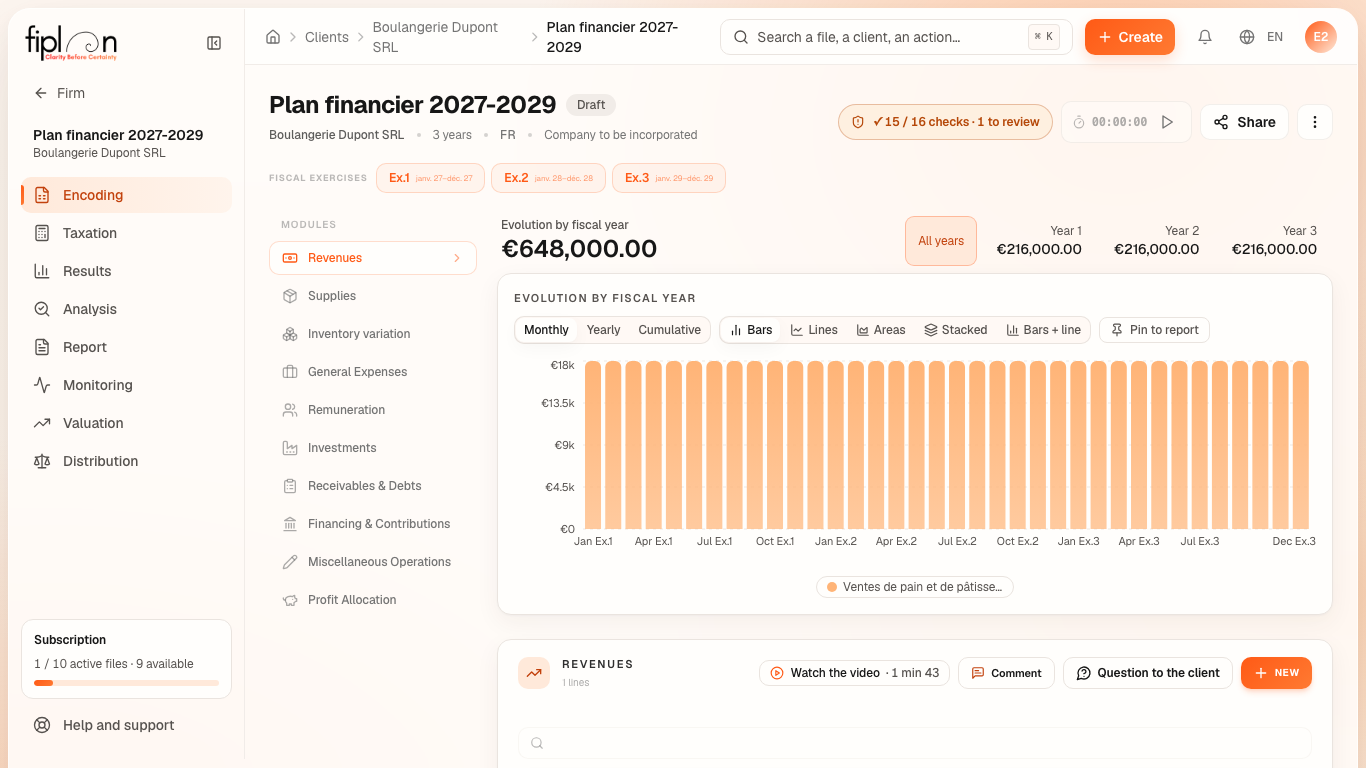
This first article gives the map. Each step has its own detailed article; the common thread of the whole guide is Boulangerie Dupont SRL, a company to be incorporated, with a plan over three financial years (2027 to 2029).
Steps
- The client. In Clients, click New Client and give at least its name. See Creating a client.
- The file. From New Dossier, choose Company to be incorporated or Existing company, then the length of the plan. See Creating a file.
- Data entry. In the Encoding module, enter revenue, supplies, stock, remuneration, investments and financing. Each line is created with New.
- The checks. The checks badge, at the top of the file, counts the checks passed, to review, blocking and not verifiable. See Reading the checks badge.
- The results. The Taxation, Results and Analysis modules show the tax, the financial statements and the ratios, calculated from the journal.
- The report. The Report module produces the plan's PDF and Excel file. See Generating the plan PDF.
Worked example · Boulangerie Dupont SRL
What is entered, where, and the first figure Fiplan derives from it (each amount is recalculated by the engine for each version of the guide):
| Module | Account | What you enter | What Fiplan derives |
|---|---|---|---|
| Revenues | 700000 | €18,000.00 excl. VAT per month, VAT 6% | Revenue 2027: €216,000.00 |
| Supplies | 600000 | 32% of revenue | Purchases 2027: €69,120.00 |
| Inventory variation | 300000 | 15 days of purchases, minimum €2,000.00 | Stock at 31 December 2027: €2,840.55 |
| Remuneration | 620200 | one sales assistant, €2,400.00 gross per month | Annual employer cost: €38,760.00 |
| Investments | 242000 | a van of €32,000.00 excl. VAT, 5 years | Depreciation 2027: €5,333.30 |
| Financing & Contributions | 173000 | a loan of €40,000.00 at 4.5% over 60 months | Monthly instalment: €745.72 |
Pitfalls
What it changes
Source
Companies and Associations Code (CSA / WVV), art. 5:4 (financial plan of the private limited company, SRL / BV), art. 6:5 (cooperative company, SC / CV) and art. 7:3 (public limited company, SA / NV): the financial plan (plan financier / financieel plan) handed to the notary at incorporation.
The Fiplan engine: a single double-entry journal, from which the balance sheet, the income statement and the cash flow statement are derived.