
Giving your client access
The client space is where your client reads their plan: a person from the company, invited by you, sees the version you share, never your work in progress. They answer your questions there and approve the plan.
What it is for
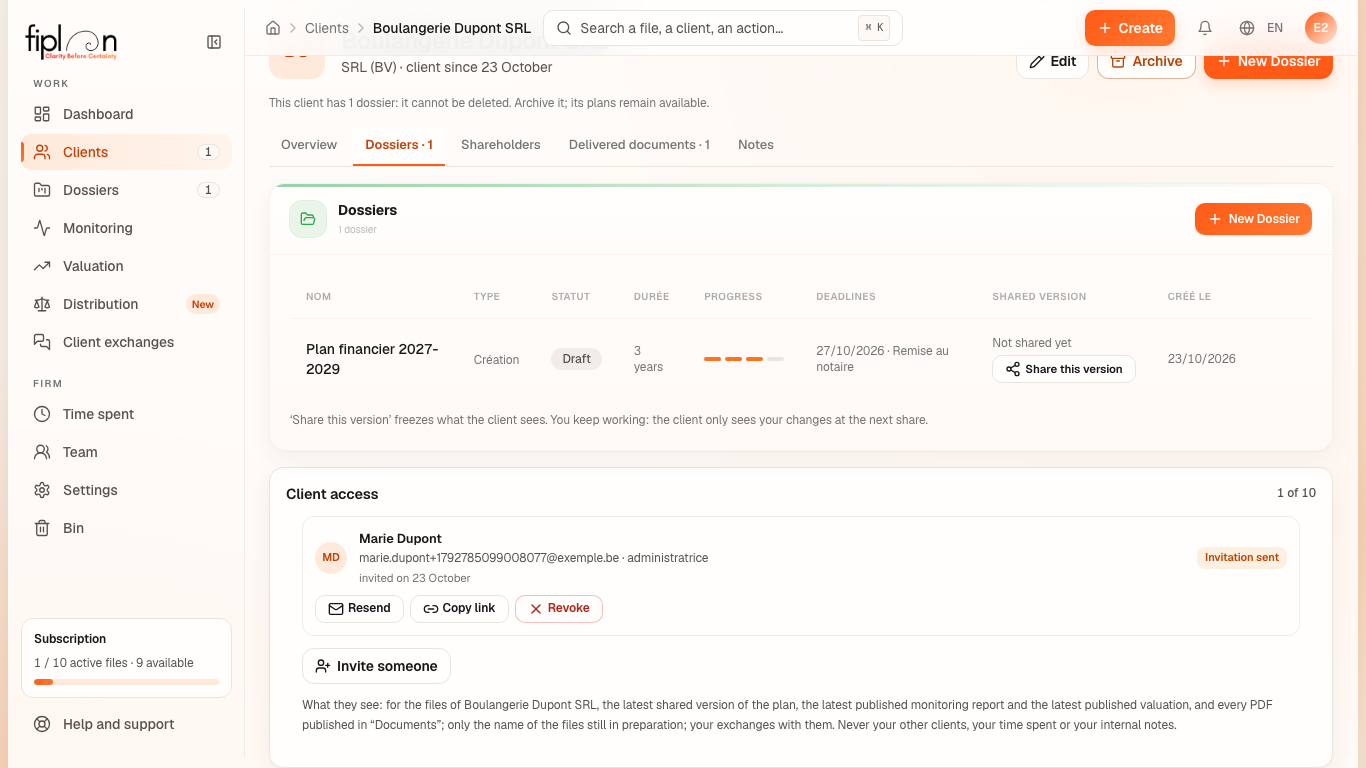
The Client access card on the client record (Dossiers tab) lists the people from the company invited to its client space, with their status — Invitation sent, Active or, in the history, Revoked — and your firm's access counter, “n of max”: the maximum is that of your plan, or of the trial. The counter adds up the invited and active accesses of all your clients; a revoked access no longer counts.
In their space, the person finds three sections:
- Home: the latest shared file, the expected cash at the end of the current financial year (before the plan starts: at the end of the first financial year) and what they have to do — answer a question, approve a plan;
- Your files: the company's files that have a shared version, a published monitoring report or a published value; an active file with nothing published yet appears by its name only, “Being prepared by your firm”;
- Exchanges: the questions in both directions (see Exchanges with your clients).
A shared file opens in tabs: Summary, Results, Balance sheet, Cash, then, depending on what you have published, Monitoring, Value and Documents, and finally Exchanges. Everything is read from the shared version: the client space calculates nothing. The person never sees your other clients, your time spent or your internal notes.
Steps
- Open the client's record, Dossiers tab, Client access card, then Invite someone.
- Enter their Name, their Email address, their Role (optional) and the Invitation language, then Send the invitation. They receive an email on behalf of your firm.
- In the Shared version column of the same tab, click Share this version — or, in the file's Report module, Share. Choose the Report template and the Report language, then Share. The version (its statements and its PDF) is frozen: you keep working, and the client only sees your changes at the next share, through Update the shared version.
- The person opens the link in the email and chooses their password, once: at least 10 characters, entered twice. Their status becomes Active.
- They read the plan and, if they are happy with it, click Approve this plan and confirm. On your side, the file shows “Approved by … on … (version of …)”; a newly shared version is back to To approve.
- The email did not arrive? Resend the invitation, or Copy link to pass it on yourself. To cut off the access: Revoke.
Worked example · Boulangerie Dupont SRL
The firm invites Marie Dupont, director (administratrice) and sole founder of the bakery, then shares the file “Plan financier 2027-2029”:
| The firm | What Marie Dupont sees |
|---|---|
| Invite someone: Marie Dupont, role “director”, language French | an email on behalf of the firm; she chooses her password |
| Share this version: Notary template, in French | in Your files, the plan, “version shared on …”; the tabs Summary to Cash and the PDF |
| the Shared version column: “Shared on … · v1”, then To approve | “Are you happy with the plan?” and the Approve this plan button |
| “Approved by Marie Dupont on … (version of …)” | “You approved this plan on …” |
No figure is re-entered: the figures in the space are those of the shared version, to the cent.
Pitfalls
What it changes · 2027
Source
Fiplan convention: CarteAccesClient.tsx, PartagerVersion.tsx, EtatValidation.tsx (firm); src/pages/espace/Espace.tsx, src/components/espace-client/textes.ts (client space); the inviter-client function.
Rules in the database: 20261004160000_acces_client1_modele.sql (accesses, the quota per plan, invited and active); 20261004170000_acces_client1_cabinet.sql (invite, resend, revoke: owner or administrator; revoking allowed when read-only; share: a member who writes; a firm address refused); 20261004220000_acces_client2_valider.sql (an approval attached to its version, never withdrawn); 20261005140000_valo2_publications.sql (espace_client_cabinet: what the person sees). Rights tested by npm run audit:roles (scripts/audit-roles.mjs, scripts/audit-roles-client.mjs).