
The client record
The client record is a company's record, not a contact line: its plans, their progress, its shareholders and directors, the documents you have delivered to it, your internal notes.
What it is for
Open a client from Clients: its record has five tabs.
- Overview: the identity (legal form, address, VAT number, incorporation date) and the Latest plan card — the file modified last, with three key figures for its first financial year: turnover, net result and cash at the end of the year. “Figures read from the dossier, never recalculated here.”; See the results opens the Results screen. A client with no file offers to create its first file.
- Dossiers: each of the client's files, its status, its progress in four steps — Data entry, Checks, Report, Delivered —, its deadlines and the version shared with the client; under the list, the “Client access” and “Questions to the client” cards.
- Shareholders: the shareholders (actionnaires / aandeelhouders) and directors (administrateurs / bestuurders) — their Full name, their Role (Director, Shareholder, or both), their Number of shares and their Percentage (%).
- Delivered documents: the PDF reports and Excel exports produced for this client.
- Notes: your internal notes on the client, 5,000 characters at most, saved when you leave the field.
Steps
- Open Clients, then the client's record.
- To correct its identity, click Edit.
- To add a shareholder or a director, open the Shareholders tab and click Add.
- For a new plan for the same company, click New Dossier: the client is already selected.
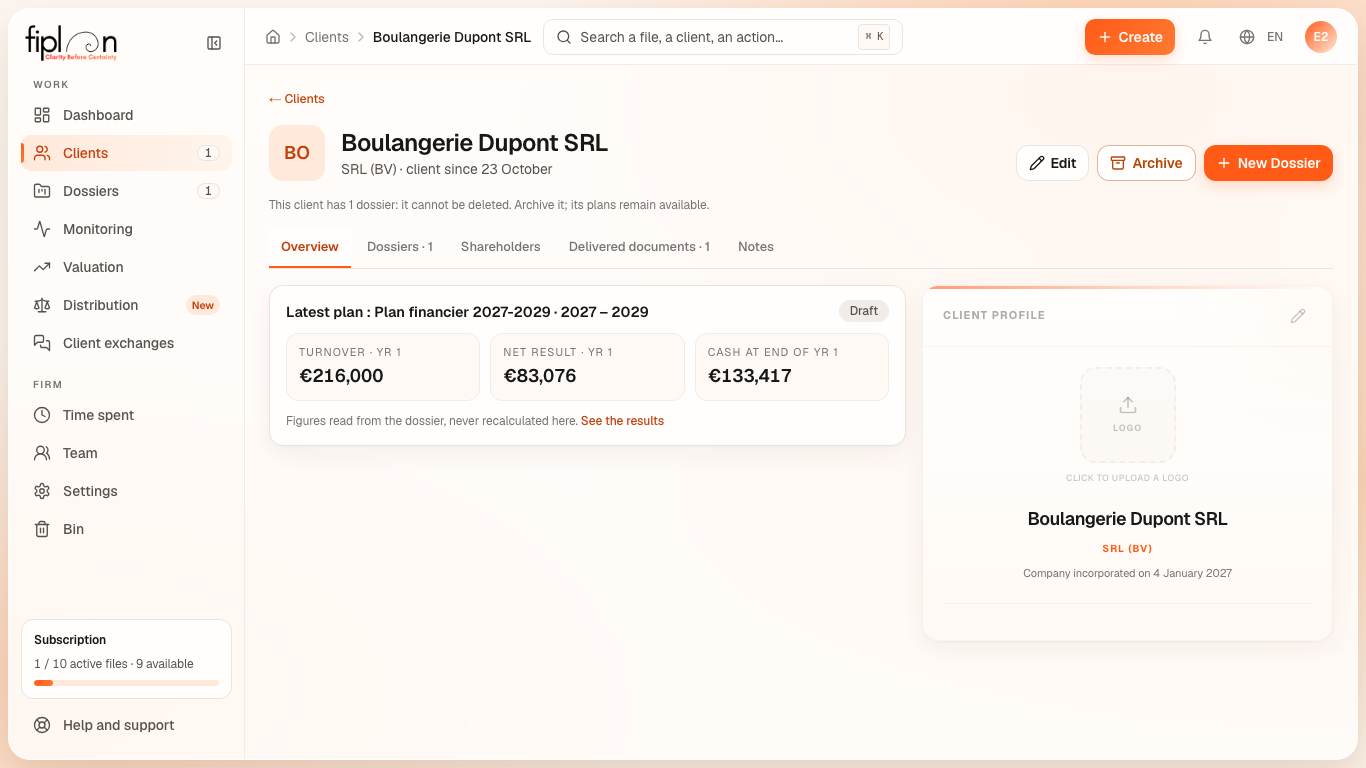
Worked example · Boulangerie Dupont SRL
The overview of Boulangerie Dupont shows its incorporation plan, first financial year (2027, twelve months):
| Key figure | Value |
|---|---|
| Turnover · Yr 1 | €216,000 |
| Net result · Yr 1 | €83,076 |
| Cash at end of Yr 1 | €133,417 |
The card shows them rounded to the euro. These are exactly the figures of the Results screen: the record reads them from the same model.
Pitfalls
The incorporation date matters. It lives on the client record. When it is missing, the dashboard and the Checks flag it: the tax regimes of the first years depend on it.
The legal form gets locked. As soon as the client's files contain data, the legal form can no longer be changed.
The figures are those of the latest plan modified. A client with several files shows the figures of the file modified last, not necessarily those of the one that will be delivered.
What it changes
① Income statementNo effect€0.00The record carries none of the plan's figures; it reads them.
② CashNo effect€0.00Nothing is received or paid.
③ Balance sheetNo effect€0.00The shareholders on the record are not written to the journal.
Source
Fiplan convention (ClientDetail, ChiffresClesDernierPlan, chiffresPremierExercice): the five tabs, the first-financial-year figures read from the model of the latest plan, the progress in four steps.