
The list of lines in a module
A data-entry module is first of all a list: one line per item of the plan, with its totals by financial year. Above it, a chart; below it, the module total.
What it is for
The left-hand bar of Encoding lists the modules: Revenues, Supplies, Inventory variation, General Expenses, Remuneration, Investments, Receivables & Debts, Financing & Contributions, Miscellaneous Operations, Profit Allocation. Each module shows the Evolution by fiscal year chart, then the list of its lines, one column per financial year.
Steps
- Choose a module in the left-hand bar.
- Search for a line with Search by label or PCMN code....
- Click a line to edit it; hover over it to see the icons: monthly detail, edit, delete.
- Click New — or press N — to add a line. In the window, Enter saves, Shift + Enter saves and opens a new line, Esc closes.
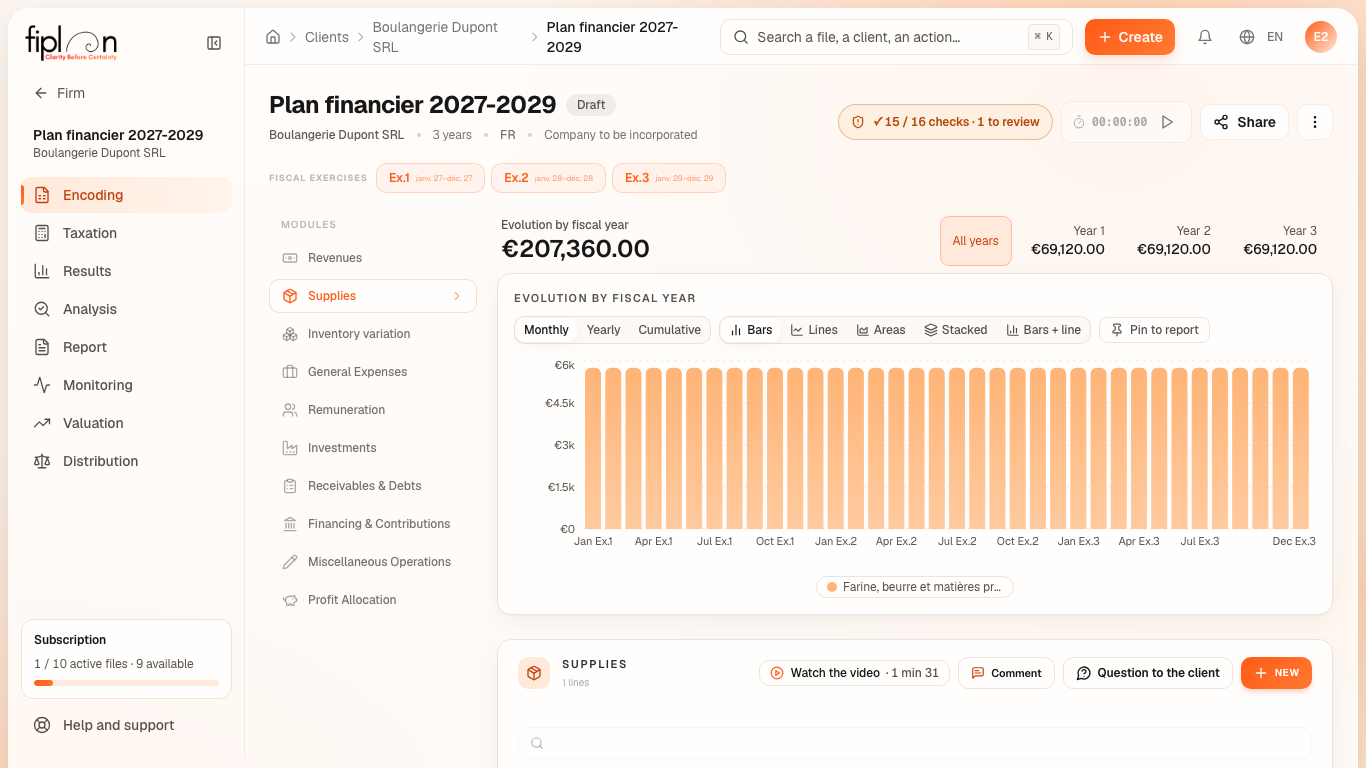
Worked example · Boulangerie Dupont SRL
In Supplies, the purchases line shows one column per financial year:
| Line | Account | 2027 | 2028 | 2029 |
|---|---|---|---|---|
| Flour, butter and raw materials | 600000 | 69,120.00 | 69,120.00 | 69,120.00 |
In Financing & Contributions, the loan line shows, instead of a total, the outstanding principal at the end of the financial year: 33,322.82 in 2027.
Pitfalls
What it changes · 2027
Source
Fiplan conventions: the list totals are the sum, excluding VAT, of each financial year's amounts; a line and its companion are created and deleted together (encoder_ligne_avec_compagne, in a single transaction).